Druid 10.2 - Latest
Deployment Dates
The table below lists the deployment date of the latest release, Druid 10.2 across Druid Clouds. To view the Druid Releases Calendar, see Druid Releases.
|
Druid Cloud Community *.community.Druidplatform.com |
Druid Cloud US *.us.Druidplatform.com |
Druid Cloud Australia *au.Druidplatform.com |
Druid Cloud West-Europe (PROD) *.Druidplatform.com |
|---|---|---|---|
| October 22, 2026 | November 19, 2026 | November 19, 2026 | November 19, 2026 |
These release notes give you a brief, high-level description of the improvements implemented to existing features.
If you have questions about your Druid tenant, please contact support@druidai.com or your local Druid partner for more information.
What's New
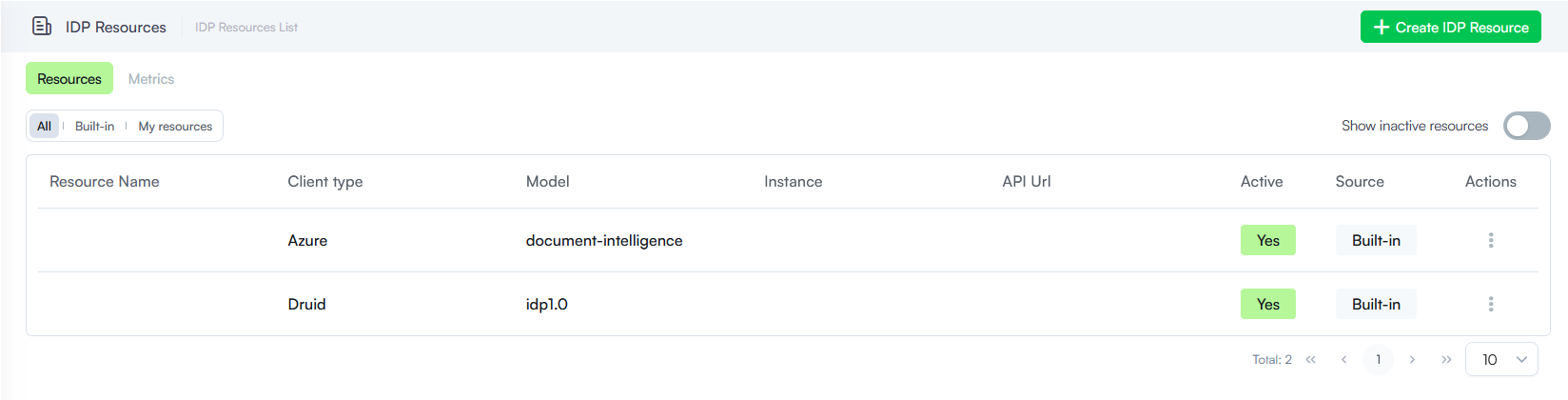
- Centralized IDP Resource Management. We introduced a new IDP Resources section under Administration, providing a centralized location to configure and manage Intelligent Document Processing (IDP) service connections ensuring consistent IDP resource configurations across the platform. You can now configure your own Azure AI Document Intelligence resources directly in the Druid Portal. Druid-hosted IDP resources are also supported and can be enabled upon request.
Improvements
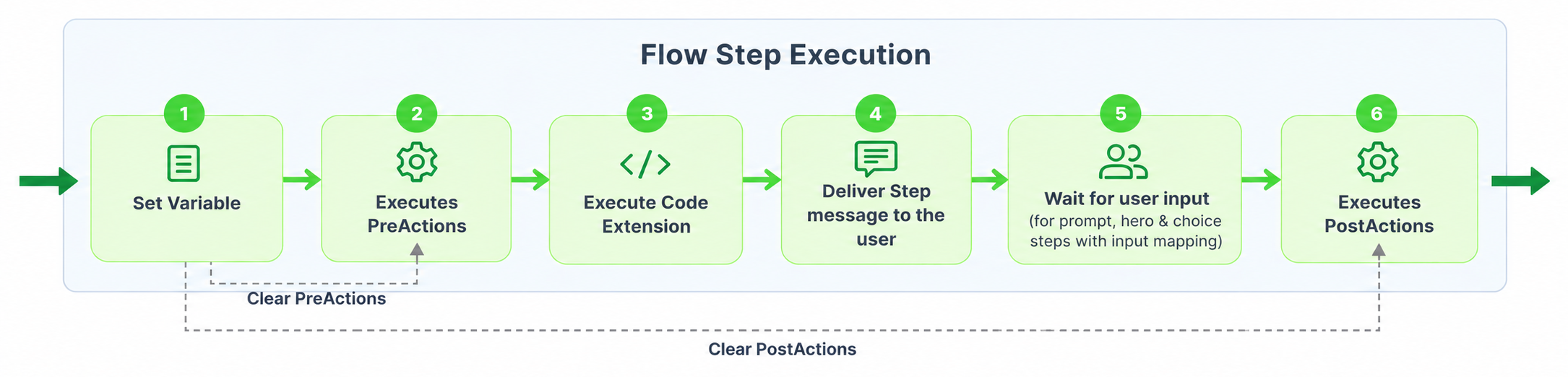
- Flow steps - Control PreActions execution in Set Variables. You can now can access and modify the current flow step PreActions using the
thisStepobject in Set Variables. This enhancement allows you to dynamically control PreActions before they execute, based on runtime validation results or business logic. -
New Special Flow - Message Reactions Flow. Previously, user emoji reactions to AI Agent messages in Microsoft Teams would trigger the Welcome flow. With this release, authors now have dedicated control over how reactions are handled by using a new special flow, Message reactions flow.
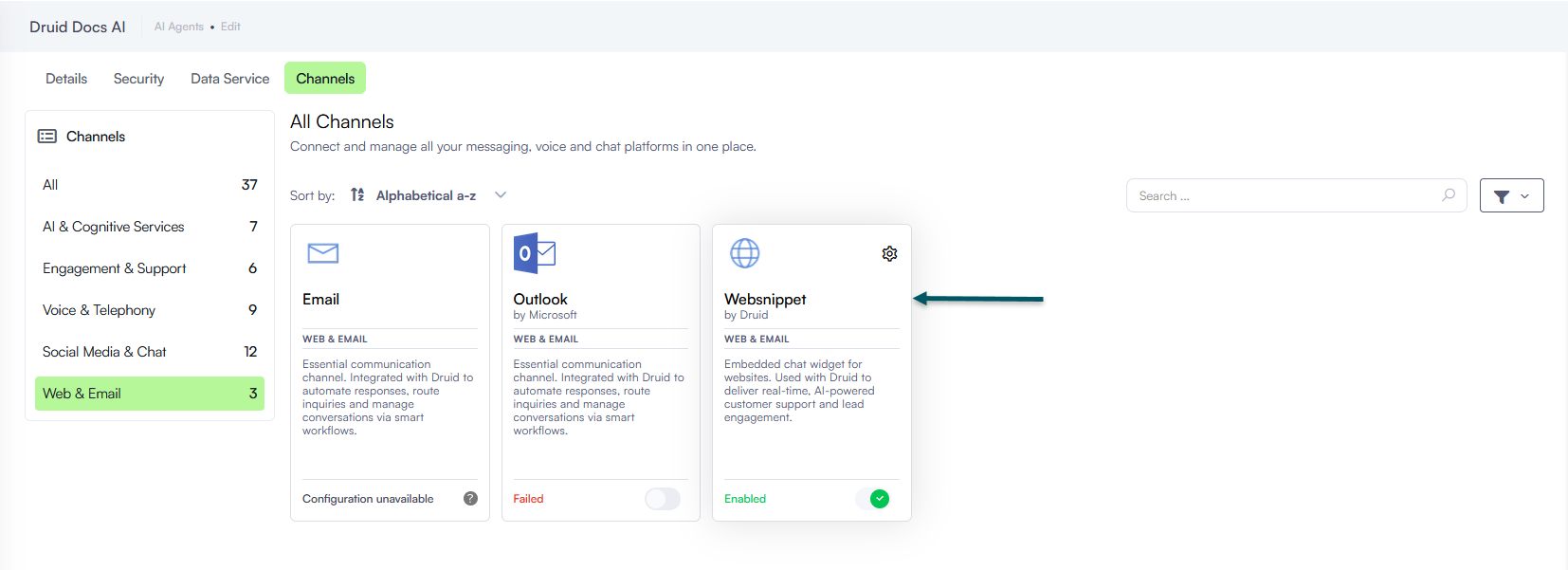
- Renamed the WebChat channel card and improved the authoring experience. This release introduces various improvements to the WebChat channel card:
- The WebChat channel has been renamed to Websnippet to better reflect its support for both text-based and voice-enabled AI Agent conversations.
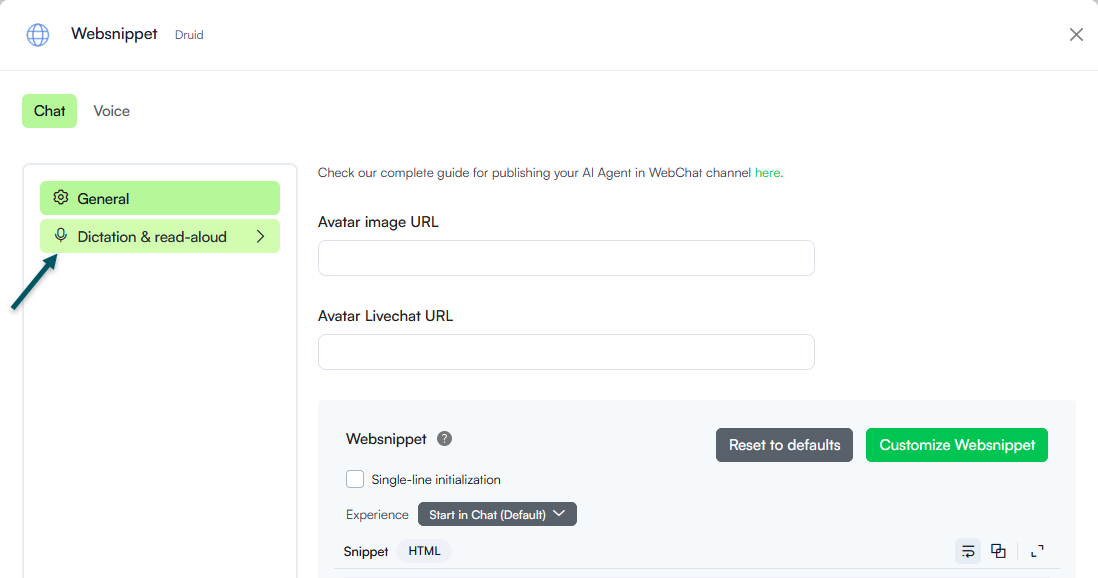
- The Websnippet channel configuration has also been reorganized into two dedicated tabs, making it easier to configure the interactions:
- Chat: Configure web chat interactions.
- Voice: Configure webRTC for real-time voice conversations.
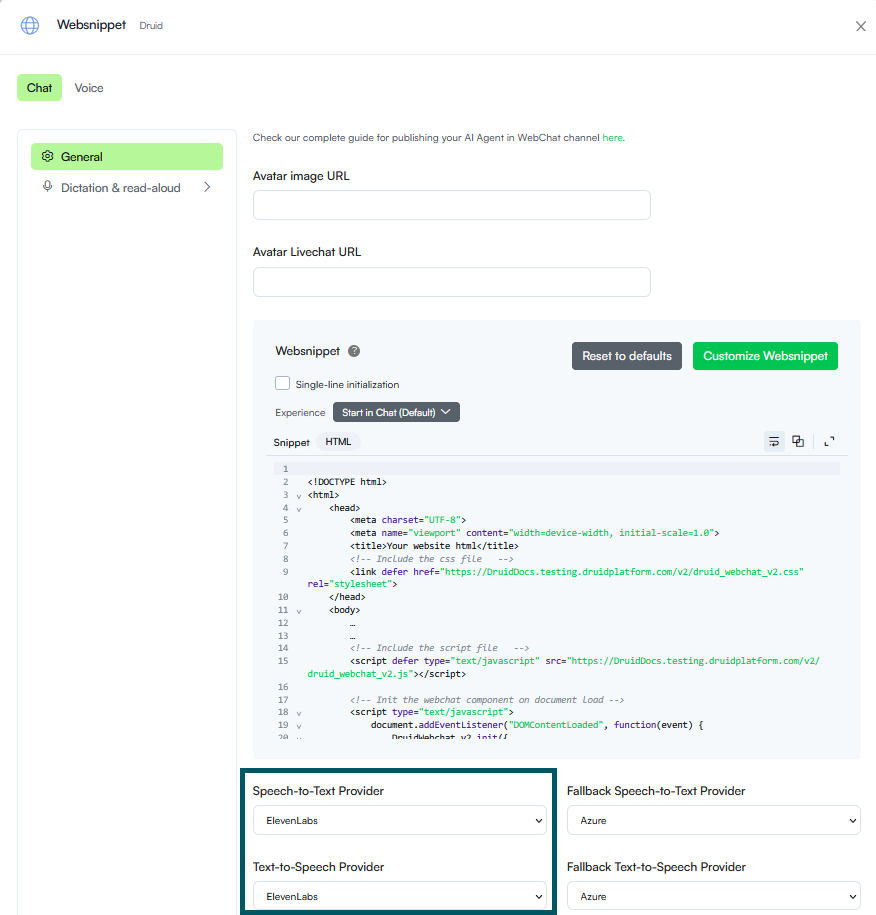
- Additionally, speech provider settings for voice-assisted web conversations have been moved to Chat > Dictation & Read Aloud.
- You can now independently configure Speech-to-Text (STT) and Text-to-Speech (TTS) providers based on your conversational requirements:
- Enable STT for voice input.
- Enable TTS for spoken AI Agent responses (if you want the AI agent to respond with voice-only messages).
- Enable both to support complete two-way voice interactions.
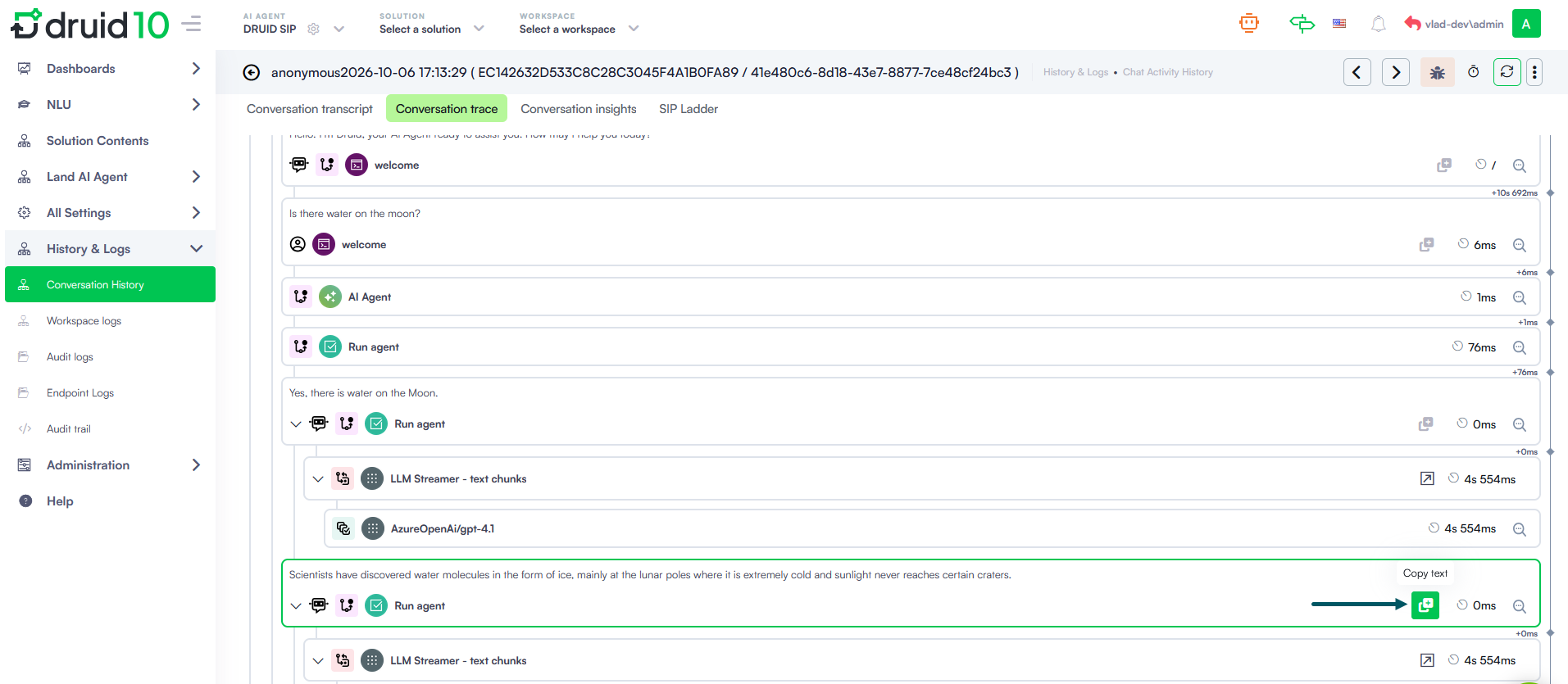
- Improved Text Copying in Conversation Trace. You can now easily copy messages and debug messages from any card in Conversation Trace to the clipboard without interrupting your workflow.
- Outbound Call Simulation for Demo Purposes. You can now configure and simulate outbound calling campaigns directly through the WebSnippet widget, making it easier to demonstrate voice-enabled AI Agent interactions without initiating actual outbound phone calls. Authors can configure demo campaigns, customize the simulated call experience, and initiate calls through the widget Call me button.
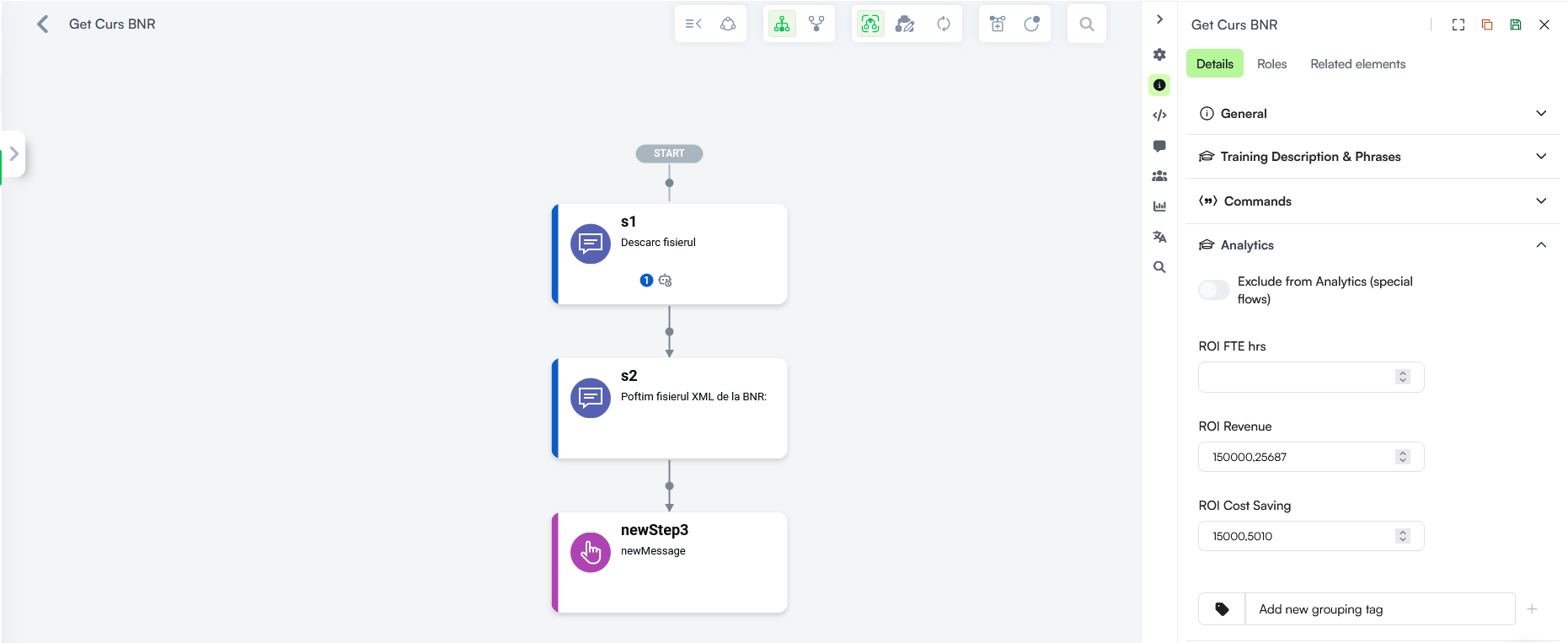
- Flow Analytics- Expanded decimal support for ROI Fields. The ROI Revenue and ROI Cost Saving analytics fields now support entering and storing values with up to 11 decimal places (previously limited to 2 decimal places).
For example, in agentic flows, you can validate LLM-generated integration arguments in Set Variables and prevent an integration from executing if validation fails. The flow can then continue to Code Extension, where the validation error can be added to the LLM context, allowing the AI Agent to retry with corrected arguments.
This extends the existing thisStep functionality, which already supports controlling PostActions from Set Variables.
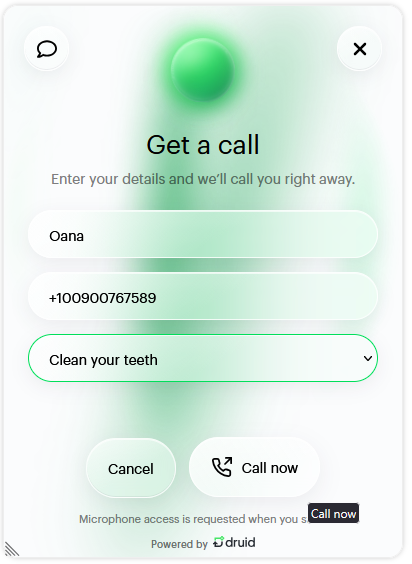
The simulation also captures user details and campaign information in the conversation context, allowing AI Agents to personalize interactions based on the selected campaign.
Bug Fixes
- AI Agent Summary Dashboard incorrect date format. Resolved an issue where the date format displayed on the AI Agent Summary dashboard did not match the tenant's configured language settings.